






Is there a minimum deposit amount at Tiptop Casino, or can I start with any sum I choose?

Tiptop Casino’s banking guide explains how to add funds to your account, submit withdrawal requests and provide documentation when transaction verification is required.
The minimum deposit is €20, while the minimum withdrawal amount is €40. Before confirming a payment or payout, check the transaction amount, selected currency and payment details to ensure everything is correct.
| Payment Method | Transaction | Withdrawal Time | Requirements |
|---|---|---|---|
| Cards | Card payments | 1–7 days + pending stage | Card details, ownership |
| E-Wallets | Wallet transfers | 0–24 hours + pending stage | Wallet account, transaction status |
| Bank Transfer | Bank payments | 1–7 days + pending stage | Bank details, account ownership |
| Local Methods | Regional payment services | Provider-dependent | Account eligibility, verification |
| Cryptocurrency | Digital asset transfers | Network-dependent | Currency, network, wallet address |

Sign in to your account and open the deposit or cashier section to see the payment routes presented to you. Select a method, enter an amount and review the transaction before you confirm it.
The payment screen is where you can inspect the details of the transaction you are about to submit. Keep the confirmation or transaction reference so you can identify the payment if you need help.
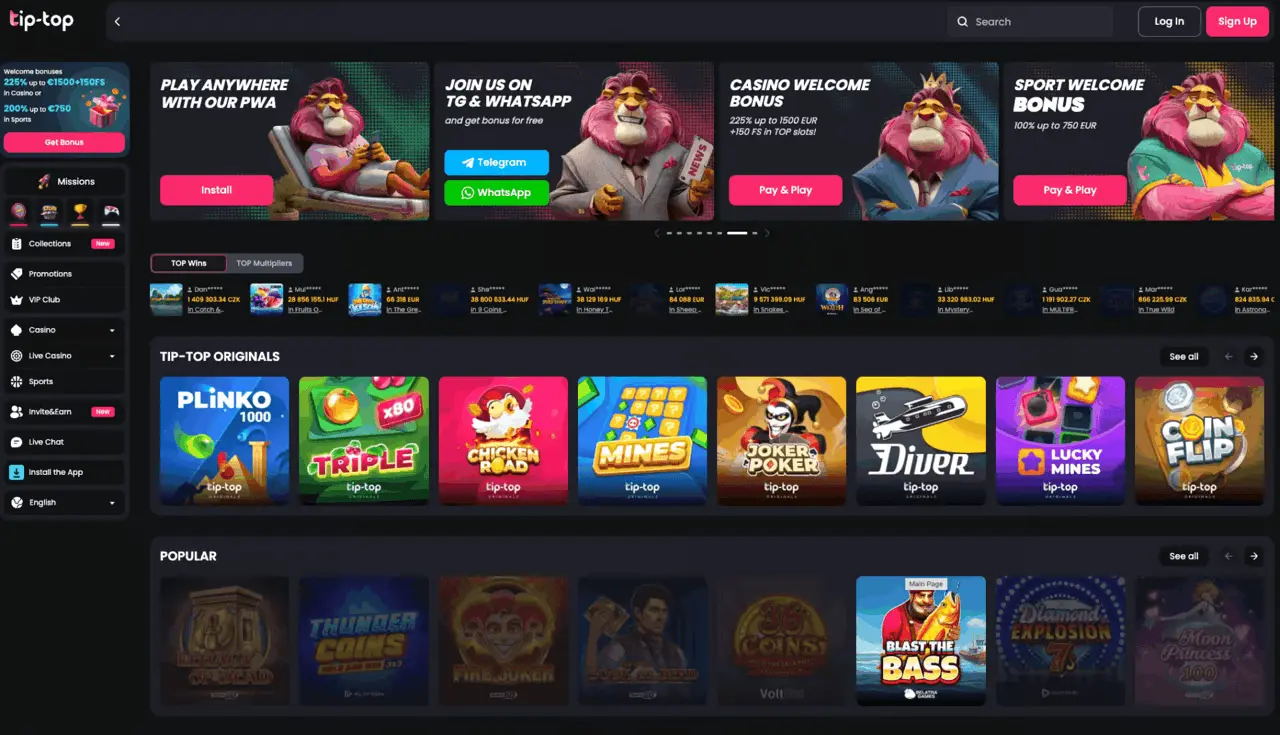
Payment methods differ by jurisdiction, so the routes presented to you depend on where you are. Our supported currencies include EUR, CZK and HUF, as well as BTC, BCH, ETH, USDT, LTC, DOGE, ADA, XRP and TRX.
The following method types describe practical ways to fund your account. Use the payment routes presented to you and select one whose transaction process you understand.
For a card payment, enter the requested card details and complete any approval requested by your card issuer. For a bank transfer, use the payment instructions presented for that transaction and retain the transfer reference.
Before submitting either payment, compare the amount and recipient details with the information on the payment screen. An incorrect entry can prevent the payment from reaching the intended destination.
An e-wallet payment generally involves authorising a transfer from your wallet account. If you use cryptocurrency, match the currency and network to the transaction instructions before sending funds.
A cryptocurrency address identifies the destination of a transfer. Copy it carefully and compare it with the address shown for your transaction; a transfer sent to the wrong destination may not be recoverable.

After you submit a deposit, look for its confirmation and check your account balance. If the payment provider shows a completed transaction but your balance has not changed, retain the reference and contact us rather than immediately submitting the same payment again.
For a withdrawal, enter the requested amount and payment details, then submit the request. Keep its reference and review its status before making another request for the same funds.
Follow these steps in order to make a deposit and then request a withdrawal. Keep each transaction reference until you have confirmed the outcome.
Our minimum deposit is €20. Our minimum withdrawal is €40, and withdrawal limits are €2,500 per day, €7,500 per week and €15,000 per month.
Our supported currency list includes fiat and cryptocurrency balances. When entering an amount, pay attention to the currency displayed so you do not mistake a figure in one currency for a figure in another.
A transaction can involve a charge from a payment provider or a cryptocurrency network. Review any charge shown before confirming; a fee reduces the amount received or increases the total cost of the transfer.
A withdrawal can remain pending for 0–96 hours. After that stage, our stated processing times are 0–24 hours for e-wallets and 1–7 days for cards or bank transfers.
Pending time and payment-method processing are separate stages. A request that is still pending has not yet completed the full withdrawal process, so allow for both stages when considering when funds may arrive.
For deposits, payment approval and balance crediting are also distinct events. If you have authorised a payment, use its confirmation and your account balance to establish whether the funds have reached your casino account.
We may request an ID or passport, proof of address and proof that you own the payment method. These documents help us establish your identity and connect the payment method to you before a cashout is completed.
Provide legible documents that show the information requested. If we ask for proof of payment method ownership, use a document that identifies you and the relevant method; do not send unrelated financial records.
Keep your account credentials private and use the payment details intended for your own transaction. If you notice an unfamiliar payment or believe your account has been accessed by someone else, contact us promptly.
If a deposit fails, compare the entered details with your payment information and look for an approval request from the payment provider. A declined or incomplete authorisation can stop a payment before it reaches your balance.
For a delayed withdrawal, first distinguish a pending request from one that has moved to payment processing. Have the amount, currency and transaction reference ready when you contact us through live chat, email, WhatsApp or Telegram; our support is available 24/7.
If we have requested verification, respond with the relevant documents rather than submitting a duplicate withdrawal. A duplicate request does not resolve missing information and can make the transaction history harder to follow.
You can reduce avoidable delays by preparing the information we may request and identifying which stage your withdrawal has reached before contacting us.
Is there a minimum deposit amount at Tiptop Casino, or can I start with any sum I choose?

I noticed Tiptop Casino supports several payment methods. Does anyone know if prepaid cards are accepted for deposits?

I tried depositing via e-wallet at Tiptop Casino, but the process seemed a bit slow. Has anyone else experienced delays with this method?

Tiptop Casino offers instant deposits through credit cards, which makes starting to play much quicker and more convenient.
Are there any fees involved when depositing funds at Tiptop Casino using bank transfer?
I found the deposit interface at Tiptop Casino easy to navigate, but I wish they had more cryptocurrency options available.
Does Tiptop Casino have any restrictions on deposit methods based on the player’s country?
I appreciate that Tiptop Casino provides multiple deposit options, but I recommend checking the processing times carefully before choosing one.
Is there a minimum deposit amount at Tiptop Casino, or can I start with any sum I choose?
I noticed Tiptop Casino supports several payment methods. Does anyone know if prepaid cards are accepted for deposits?
I tried depositing via e-wallet at Tiptop Casino, but the process seemed a bit slow. Has anyone else experienced delays with this method?
Tiptop Casino offers instant deposits through credit cards, which makes starting to play much quicker and more convenient.
Are there any fees involved when depositing funds at Tiptop Casino using bank transfer?
I found the deposit interface at Tiptop Casino easy to navigate, but I wish they had more cryptocurrency options available.
Does Tiptop Casino have any restrictions on deposit methods based on the player’s country?
I appreciate that Tiptop Casino provides multiple deposit options, but I recommend checking the processing times carefully before choosing one.
A withdrawal can remain pending for 0–96 hours. After the pending stage, our stated processing time is 0–24 hours for e-wallets and 1–7 days for cards or bank transfers. Pending means the request has not yet completed the full withdrawal process; keep its reference if you contact us.
Our minimum deposit is €20, while our minimum withdrawal is €40. A payment provider or cryptocurrency network can impose a transaction charge, which may reduce the amount received or increase the total cost. Review any charge displayed for your transaction before you confirm the payment.
We may request an ID or passport, proof of address and proof that you own the payment method. For cryptocurrency, confirm the currency, network and destination address before sending. If you want to change a payment method for a withdrawal, contact us with the request details before submitting it.